<img src="https://www.inventive-7-intuition.com/807131.png" style="display:none;">

Mimer X-Link


Universal Radio Compatibility

A versatile interface that connects different systems, allowing seamless integration of almost any two radio systems.

x-link interface
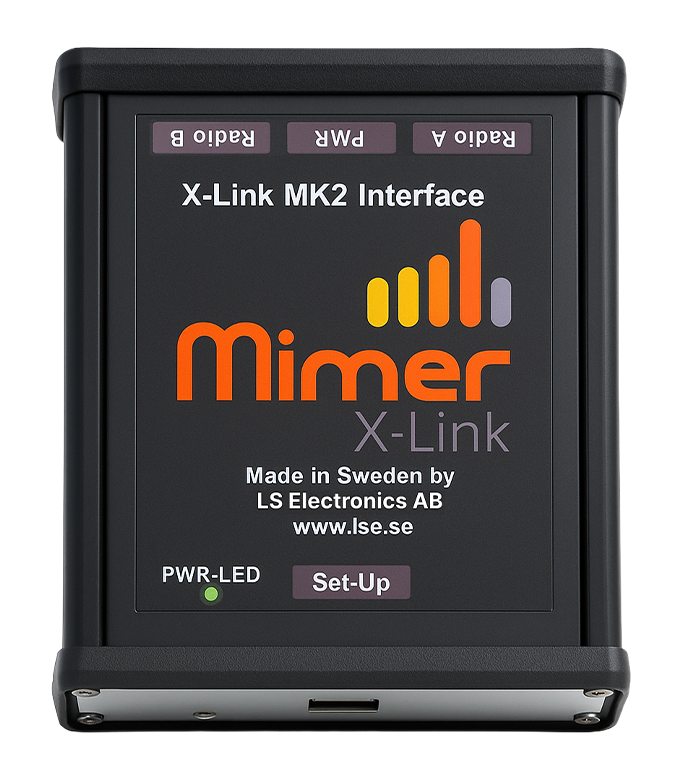
The Mimer X-Link Interface

What is Mimer X-Link?

A small interface that creates a permanent patch between two different radio systems, so the users in each radio system can communicate directly with each other, without any PC or operator in between. The Mimer X-Link interface is made to be as flexible as possible. It can connect to almost any type of two-way radio as well as most other types of audio sources. No matter if the radio works on an analogue or digital radio system, no matter if the radio has a dedicated interface for connection of audio sources or not. X-Link can handle all types of radios.


Stand alone system

When setup, it runs by itself.


Transformers on the audio lines

Guards the audio from disturbances.


Handles analogue and digital radios

Works with analogue radios as well as digital radios.


Triggers with audio detect, I/O's or data

Flexible PTT triggering via multiple methods.


Patches any two types of radios

Bridges any two radio types together seamlessly.


Audio levels can be tuned in both directions

Fine tune the Audio levels between the two radios for optimum clarity.

Patching of radio systems

There are many situations where users of one radio system need to talk to users of a completely different type of system.

It can for example be:

 
Ground personnel at an airport needing to talk to airplane
 
Industry personnel needing to talk to a ship at the industry harbour
 
Users of an old radio system that needs to talk to people using a newer type of radio system
 
Users of two-way radios that needs to talk to users of a PoC service over 4G/5G
 
Getting the fire alarm broadcasted over the radio channel on an industry
 
Making a PA announcement from a portable radio
 

There are also other situations where you need to link a radio system to another type of audio source.

By connecting two different radios or other audio sources together through the X-Link interface you get a permanent patch of the radio systems or other systems.

How It Works

The X-Link will resend the audio from one radio system to the other. There are no extra functions for remote channel change or other functions. The Radios are installed locally, next to each other.
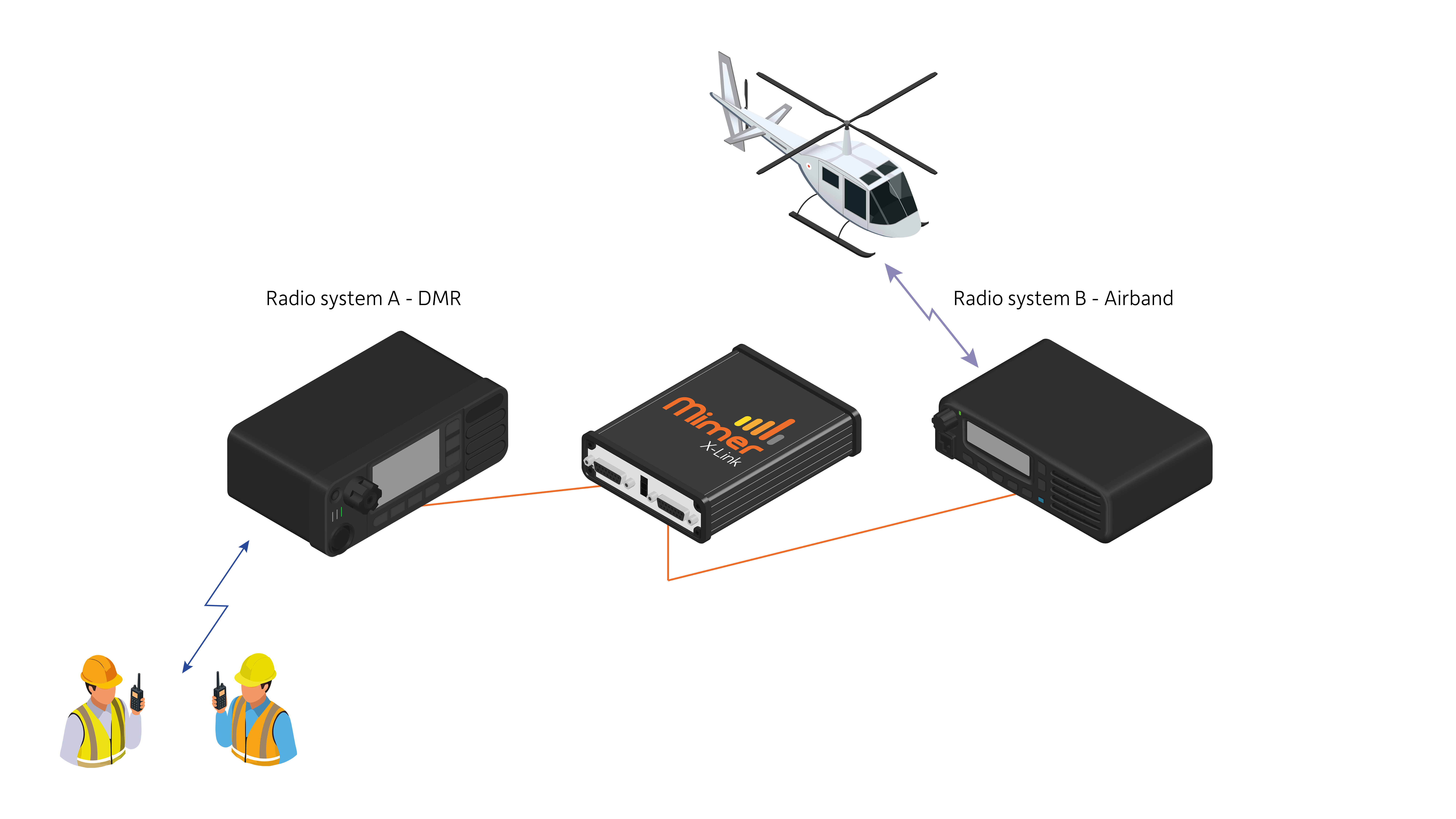
In many cases radio channels/talk groups from different systems needs to work together. For example airband channels together with ground channels on an airport, or harbour channels together with marine channels in a port.
 

View the X-Link Brochure for more Use Cases →

Fixed mobile radio or portable radio

There are a number of reasons why you should use fixed mobile radios and not portable radios when building your X-Link system.


Better accessory connector

Easy to purchase, easy to solder and cheaper.


Better power supply

Direct cable and not a battery and charger combination.


Better antenna connector

So that an external antenna can be used.


Better output power

For a larger coverage.


A fixed volume audio output

Most mobile radios have a fixed output, that is not affected by accidently turning the knob on the radio.


A receive detect output

Depending on radio this can be squelch, PL, talk group detect etc. and on Tetra radios the PEI port. Safer function than using a Vox detect.

On the other hand, a portable is always smaller and lighter. And if it is only for a temporary use, it might be easier.

Setting up the X-Link Interface

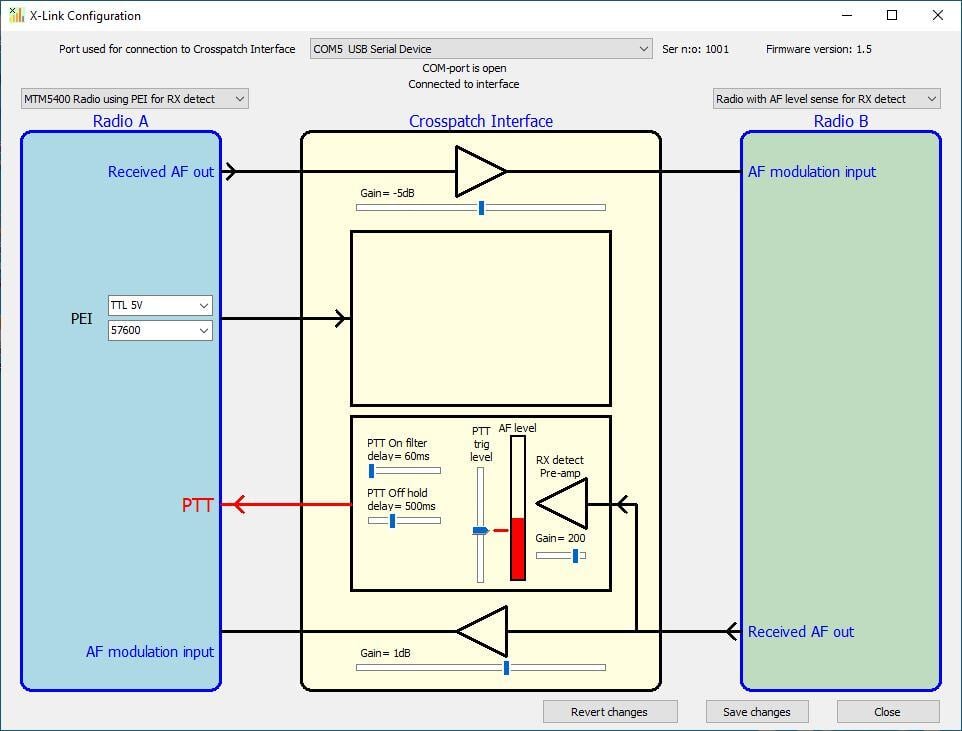
When setting up the system for the first time, the audio levels in/out of the interface needs to be tuned. Also the trigger of incoming audio needs to be set so that PTT is done on the other radio.

To do these settings a small Windows tool, X-Link Setup, is used on a standard PC. Connection to the interface is done through a USB cable.

Of course the radios audio in/output will need to be set to recommended levels before the tuning of the X-Link interface starts.

When all settings are done, the system will run by itself. No more attention will be needed.

Note: In most cases, we deliver the X-Link pre-programmed and with the correct cabling included. For most users, it's simply plug and play.

View X-Link MK2 Downloads →

X-link Set up

Alternative Cross Patch

You can also build a cross patch where the two radios are at different sites.

Mimer SoftRadio

mimer softradio boxed cmyk

Using our standard system, Mimer SoftRadio. Then you also have one or more PC operators that can operate the radios. And the patch can be turned on/off. 

Mimer SoftLine

mimer softline boxed cmyk

Using Mimer SoftLine. Connecting the two radios with a network interface at each end. And using IP infrastructure inbetween, for example the Internet. 

Not Sure Where To Start?

Tell us about your setup and we'll help you find the right Mimer solution for your operation.

What is Mimer X-Link?

A small interface that creates a permanent patch between two different radio systems, so they communicate directly with each other, without any PC or operator in between.


Connects any two radio systems

By connecting two different radios through the X-Link interface you get a permanent patch between the systems. Supports Tetra, Airband, DMR, MPT, Marine, APCO 25, PoC, Analogue VHF/UHF and many more.


Zero audio delay

All audio handling in the interface is analogue, which means no processing delay on the audio path. All audio is instant. Some radios may have their own trigger delays, but the X-Link itself adds none.


Runs standalone, no PC required

Once set up, X-Link runs entirely by itself. No computer, no software running in the background. Configure it once with the software utility and it operates independently from that point on.


Handles both analogue and digital radios

Works with analogue and digital radio types in any combination. Transformers on the audio lines guard the signal from disturbances. Triggers via audio detect, I/O or data signals.


Easy to set up

Small, compact and simple to configure using the X-Link software utility. Audio levels can be tuned in both directions. Once configured it runs as a stand alone system.